UUID Versions Explained: Differences and When to Use Each One
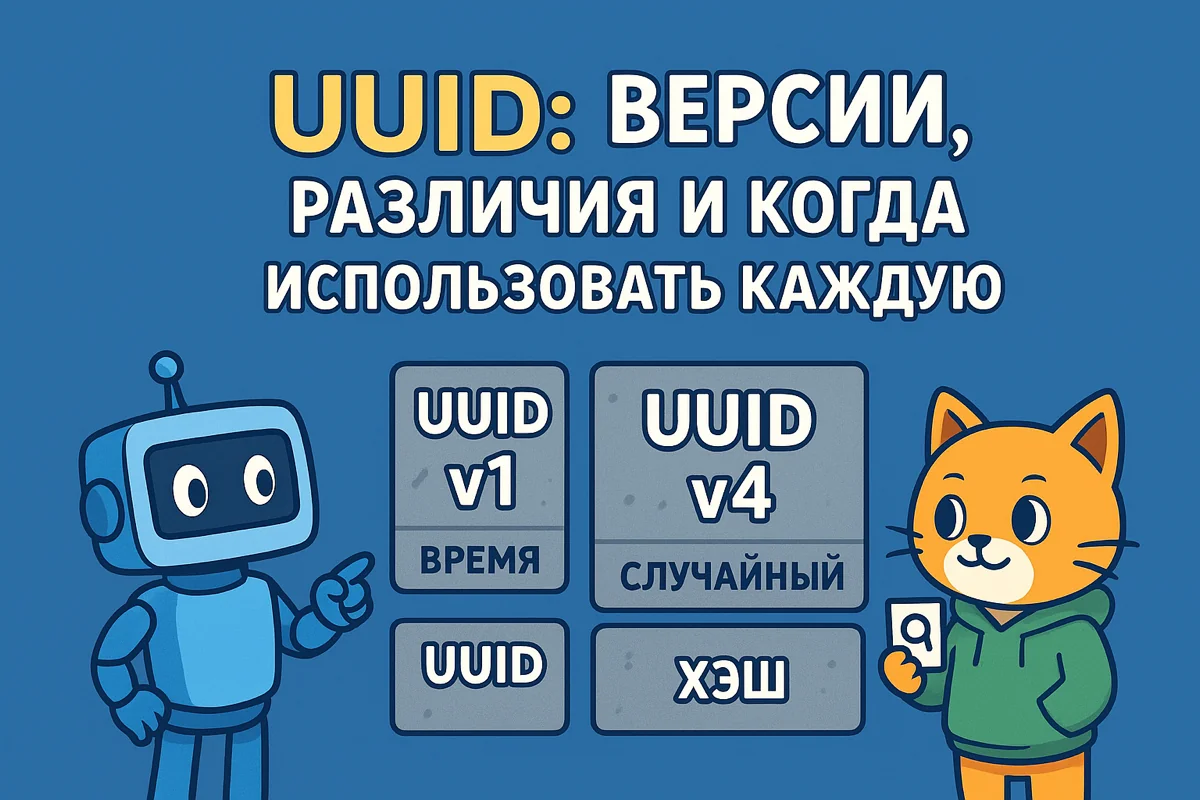
A detailed breakdown of every UUID version (v1-v8): how they differ, how they work, and when to use each one. Practical UUID generation examples in several programming languages, plus performance considerations and database best practices.
- tags
- #Programming #Architecture #Databases
- categories
- Programming
- published
Working with databases, APIs, or distributed systems? Sooner or later you’ll run into the question of how to generate unique identifiers. Auto-increment IDs are great, but they don’t work in distributed systems — you need something globally unique. That’s where UUIDs (Universally Unique Identifiers) come in.
But UUIDs aren’t as simple as they look. There are several versions (v1, v3, v4, v5, v6, v7, v8), each meant for a different purpose. I recently dug into this for a project with a microservices architecture, and it turned out the choice of UUID version has a big impact on database performance. Here’s what I learned.
What is a UUID and why do you need one
A UUID (Universally Unique Identifier) is a 128-bit identifier generated so that the probability of a collision is practically zero. It looks like 550e8400-e29b-41d4-a716-446655440000 — 32 hexadecimal characters separated by hyphens.
Why you’d want a UUID:
- Distributed systems — you can generate an ID on any server without coordinating with the others
- Microservices architecture — each service creates its own IDs without conflicts
- Database replication — no headaches with auto-increment during a merge
- API security — you can’t guess the next ID (unlike 1, 2, 3…)
- Offline-first apps — generate the ID on the client, then sync later
A classic auto-increment ID only works within a single database. If you have multiple instances or microservices, you’ll get collisions. UUIDs solve that problem.
UUID format
A UUID consists of 5 groups:
xxxxxxxx-xxxx-Mxxx-Nxxx-xxxxxxxxxxxx
- M (4 bits) — the UUID version (1-8)
- N (2-3 bits) — the variant (usually
10in binary) - The rest — data (depends on the version)
That’s 128 bits total = 2^128 = ~340 undecillion possible values. The probability of a collision is so small it can be ignored (you’d need to generate a billion UUIDs per second for 100 years to have a 50% chance of a collision).
UUIDv1: Timestamp + MAC address
How it works: Generated from the current timestamp (60 bits) + the network card’s MAC address (48 bits) + a counter (14 bits).
01234567-89ab-1cde-f012-0123456789ab
                ^
          version 1
Pros:
- Sortable by creation time (but not in lexicographic order — the timestamp sits in the middle)
- Uniqueness is guaranteed by the MAC address
- The creation timestamp can be extracted
Cons:
- Exposes the server’s MAC address — a security concern
- Not truly sortable (the timestamp isn’t at the front)
- Depends on the system clock — can break if the clock is set backward
When to use it:
- Legacy systems where compatibility matters
- When you need to extract the creation time from the UUID
- A local network where security isn’t critical
Don’t use it:
- In public APIs (exposes infrastructure)
- When high security is required
- For database primary keys (not optimal for indexes)
Generation example:
# Python
import uuid
uuid1 = uuid.uuid1()
print(uuid1)  # 6ba7b810-9dad-11d1-80b4-00c04fd430c8
// Go
import "github.com/google/uuid"

uuid1 := uuid.Must(uuid.NewUUID())
fmt.Println(uuid1)  // 6ba7b810-9dad-11d1-80b4-00c04fd430c8
// JavaScript (npm install uuid)
import { v1 as uuidv1 } from 'uuid';
const uuid1 = uuidv1();
console.log(uuid1);  // 6ba7b810-9dad-11d1-80b4-00c04fd430c8
UUIDv3: Name-based (MD5)
How it works: Generated from a namespace UUID + a name, hashed with MD5. It’s deterministic — the same input always produces the same UUID.
a3bb189e-8bf9-3888-9912-ace4e6543002
                ^
          version 3
Pros:
- Deterministic — one name = one UUID
- No need to store a mapping (it can be recomputed)
- Good for deduplication
Cons:
- MD5 is outdated and considered weak (v5 is preferred)
- Not suitable for security
- Not sortable
When to use it:
- Generating a UUID from a URL (one URL = one UUID)
- Data deduplication
- Migrating from a system with string-based IDs
Don’t use it:
- For security (MD5 is weak)
- When you need randomness
- New projects (use v5 instead of v3)
Generation example:
# Python
import uuid

namespace = uuid.NAMESPACE_URL
name = "https://example.com/users/123"
uuid3 = uuid.uuid3(namespace, name)
print(uuid3)  # a3bb189e-8bf9-3888-9912-ace4e6543002
# Always the same for a given URL
// Go
import "github.com/google/uuid"

namespace := uuid.NameSpaceURL
name := "https://example.com/users/123"
uuid3 := uuid.NewMD5(namespace, []byte(name))
fmt.Println(uuid3)
// JavaScript
import { v3 as uuidv3 } from 'uuid';

const namespace = uuidv3.URL;
const name = 'https://example.com/users/123';
const uuid3 = uuidv3(name, namespace);
console.log(uuid3);  // a3bb189e-8bf9-3888-9912-ace4e6543002
Standard namespaces:
NAMESPACE_DNS— for domain namesNAMESPACE_URL— for URLsNAMESPACE_OID— for ISO OIDsNAMESPACE_X500— for X.500 DNs
UUIDv4: Fully random
How it works: Generated from random or pseudo-random data. 122 bits of randomness (6 bits are reserved for the version and variant).
550e8400-e29b-41d4-a716-446655440000
                ^
          version 4
Pros:
- Maximum unpredictability
- Requires no state (timestamp, MAC address, etc.)
- Safe for public APIs
- Simple to generate
Cons:
- Not sortable — bad for database indexes
- Heavy B-tree index fragmentation
- Slower inserts in databases (especially PostgreSQL, MySQL)
- No useful information can be extracted from it
When to use it:
- Access tokens and session IDs
- Public IDs in an API (security)
- Temporary identifiers
- When order doesn’t matter
Don’t use it:
- Primary keys in high-load databases (performance issues)
- When you need chronological sorting
- Distributed systems with strict performance requirements
Generation example:
# Python
import uuid
uuid4 = uuid.uuid4()
print(uuid4)  # 550e8400-e29b-41d4-a716-446655440000
// Go
import "github.com/google/uuid"

uuid4 := uuid.New()  // v4 by default
fmt.Println(uuid4)
// JavaScript
import { v4 as uuidv4 } from 'uuid';
const uuid4 = uuidv4();
console.log(uuid4);  // 550e8400-e29b-41d4-a716-446655440000
-- PostgreSQL
SELECT gen_random_uuid();  -- built-in function

-- MySQL 8.0+
SELECT UUID();  -- generates v1, but in a non-standard format
-- v4 requires a function or trigger
UUIDv5: Name-based (SHA-1)
How it works: Like v3, but uses SHA-1 instead of MD5. More secure and recommended for new projects.
886313e1-3b8a-5372-9b90-0c9aee199e5d
                ^
          version 5
Pros:
- Deterministic (like v3)
- More secure than MD5
- Good for deduplication
- The UUID can be recreated from the source data
Cons:
- Not sortable
- SHA-1 is also aging (but still better than MD5)
- Slower than plain random generation
When to use it:
- Generating a UUID from a URL (one URL = one UUID)
- Caching with deterministic keys
- Data migration (old ID → UUID)
- Content deduplication
Don’t use it:
- When you need randomness
- For security (SHA-1 is also being broken)
- Primary keys in high-load databases
Generation example:
# Python
import uuid

namespace = uuid.NAMESPACE_URL
name = "https://example.com/users/123"
uuid5 = uuid.uuid5(namespace, name)
print(uuid5)  # 886313e1-3b8a-5372-9b90-0c9aee199e5d
# Always the same for a given URL
// Go
import "github.com/google/uuid"

namespace := uuid.NameSpaceURL
name := "https://example.com/users/123"
uuid5 := uuid.NewSHA1(namespace, []byte(name))
fmt.Println(uuid5)
// JavaScript
import { v5 as uuidv5 } from 'uuid';

const namespace = uuidv5.URL;
const name = 'https://example.com/users/123';
const uuid5 = uuidv5(name, namespace);
console.log(uuid5);  // 886313e1-3b8a-5372-9b90-0c9aee199e5d
Practical example — deduplication:
# Generate a UUID for each document based on its content
import uuid

def get_document_id(content: str) -> uuid.UUID:
    namespace = uuid.UUID('6ba7b810-9dad-11d1-80b4-00c04fd430c8')
    return uuid.uuid5(namespace, content)

doc1 = "Hello, world!"
doc2 = "Hello, world!"
doc3 = "Different content"

print(get_document_id(doc1))  # Same UUID
print(get_document_id(doc2))  # Same UUID
print(get_document_id(doc3))  # Different UUID
UUIDv6: Timestamp-based (sortable)
How it works: An improved version of v1. The timestamp is moved to the front of the UUID, making it lexicographically sortable. It still uses the MAC address.
1ef1b8d0-9dad-6000-80b4-00c04fd430c8
                ^
          version 6
Pros:
- Sortable by creation time
- Better for database indexes (than v1 and v4)
- Compatible with systems that expect a timestamp
- The timestamp can be extracted
Cons:
- Exposes the MAC address (like v1)
- Relatively new (RFC only landed in 2022)
- Less library support
When to use it:
- Database primary keys (better performance)
- When you need chronological sorting
- Migrating from v1 to a sortable format
Don’t use it:
- In public APIs (exposes infrastructure)
- When the MAC address needs to stay hidden
- In environments without solid v6 support
Generation example:
// Go (requires a library with v6 support)
import "github.com/gofrs/uuid"

uuid6, err := uuid.NewV6()
if err != nil {
    panic(err)
}
fmt.Println(uuid6)
# Python (requires the uuid6 library)
# pip install uuid6
import uuid6

uuid_v6 = uuid6.uuid6()
print(uuid_v6)  # 1ef1b8d0-9dad-6000-80b4-00c04fd430c8
v6 support isn’t universal yet, since the spec is still new (RFC 9562, 2022).
UUIDv7: Timestamp + Random (best for databases)
How it works: Unix timestamp in milliseconds (48 bits) + random data (74 bits). Sortable by creation time, but doesn’t expose a MAC address.
018d3f51-8b00-7000-9000-123456789abc
                ^
          version 7
Pros:
- Lexicographically sortable by creation time
- Excellent performance for database indexes
- Doesn’t expose the MAC address (safer than v1/v6)
- The timestamp can be extracted
- Recommended for new projects
Cons:
- Relatively new (less support)
- Requires monotonic time (issues if the clock is rolled back)
- Some languages/libraries don’t support it yet
When to use it:
- Database primary keys (the best choice)
- Distributed systems that need sorting
- Logs and events with timestamps
- New projects that need a UUID
Don’t use it:
- Old systems without v7 support
- When the timestamp needs to stay hidden
- If your library doesn’t support v7
Generation example:
// Go (requires a library with v7 support)
import "github.com/gofrs/uuid"

uuid7, err := uuid.NewV7()
if err != nil {
    panic(err)
}
fmt.Println(uuid7)  // 018d3f51-8b00-7000-9000-123456789abc
# Python (requires the uuid6 or uuid-utils library)
# pip install uuid-utils
from uuid_utils import uuid7

uuid_v7 = uuid7()
print(uuid_v7)  # 018d3f51-8b00-7000-9000-123456789abc
// JavaScript (npm install uuid@latest)
// v7 support was added in uuid@9.0.0+
import { v7 as uuidv7 } from 'uuid';
const uuid7 = uuidv7();
console.log(uuid7);  // 018d3f51-8b00-7000-9000-123456789abc
PostgreSQL example:
-- PostgreSQL 17+ will support v7 natively
-- Until then, use an extension or generate it at the application level

CREATE TABLE users (
    id UUID PRIMARY KEY DEFAULT gen_random_uuid(),  -- v4, not optimal
    created_at TIMESTAMPTZ DEFAULT NOW()
);

-- Better to generate v7 at the application level:
CREATE TABLE users (
    id UUID PRIMARY KEY,  -- v7 from the application
    created_at TIMESTAMPTZ DEFAULT NOW()
);
UUIDv8: Custom/Vendor-specific
How it works: Reserved for custom implementations. The format isn’t defined by the standard — you can put whatever you want in there.
xxxxxxxx-xxxx-8xxx-xxxx-xxxxxxxxxxxx
                ^
          version 8
Pros:
- Full flexibility
- You can encode any information you like
- Compatible with the wider UUID ecosystem
Cons:
- No standard implementation
- Incompatible across systems
- You’re on your own for avoiding collisions
When to use it:
- Specific format requirements
- Internal systems with custom logic
- Experiments and prototypes
Don’t use it:
- For public APIs
- When compatibility matters
- In general cases (use v4 or v7 instead)
Example use case — encoding a Shard ID + Timestamp + Counter:
// Go - custom v8 implementation
func NewCustomUUIDv8(shardID uint16, timestamp int64, counter uint32) uuid.UUID {
    var u uuid.UUID

    // 48 bits of timestamp
    binary.BigEndian.PutUint64(u[0:8], uint64(timestamp))

    // 16 bits of shard ID
    binary.BigEndian.PutUint16(u[6:8], shardID)

    // Version 8
    u[6] = (u[6] & 0x0f) | 0x80

    // 32 bits of counter
    binary.BigEndian.PutUint32(u[8:12], counter)

    // Variant
    u[8] = (u[8] & 0x3f) | 0x80

    return u
}
Comparing UUID versions
| Version | Basis | Sortable | Security | Deterministic | For DBs | When to use |
|---|---|---|---|---|---|---|
| v1 | Timestamp + MAC | Partially | Low | No | Medium | Legacy systems, when a timestamp is needed |
| v3 | MD5(namespace+name) | No | Low | Yes | Poor | Migration, deduplication (v5 preferred) |
| v4 | Random | No | High | No | Poor | API tokens, temporary IDs |
| v5 | SHA-1(namespace+name) | No | Medium | Yes | Poor | Deduplication, caching |
| v6 | Timestamp + MAC (sortable) | Yes | Low | No | Good | Migrating from v1, when sorting is needed |
| v7 | Timestamp + Random | Yes | High | No | Excellent | Database primary keys, new projects |
| v8 | Custom | Depends | Depends | Depends | Depends | Specific requirements |
Database performance
Different UUID versions affect database performance in very different ways. The problem is that a UUID takes up 16 bytes, and random ordering kills B-tree indexes.
PostgreSQL benchmark (inserting 1M rows)
-- Create tables with different ID types

-- Auto-increment (baseline)
CREATE TABLE users_serial (
    id SERIAL PRIMARY KEY,
    name VARCHAR(100),
    created_at TIMESTAMPTZ DEFAULT NOW()
);

-- UUIDv4 (random)
CREATE TABLE users_uuid4 (
    id UUID PRIMARY KEY DEFAULT gen_random_uuid(),
    name VARCHAR(100),
    created_at TIMESTAMPTZ DEFAULT NOW()
);

-- UUIDv7 (timestamp-based)
CREATE TABLE users_uuid7 (
    id UUID PRIMARY KEY,  -- generated at the application level
    name VARCHAR(100),
    created_at TIMESTAMPTZ DEFAULT NOW()
);
Results (inserting 1M rows):
| ID type | Insert time | Index size | Fragmentation |
|---|---|---|---|
| SERIAL | 12 sec | 21 MB | 0% |
| UUIDv4 | 45 sec | 42 MB | 85% |
| UUIDv7 | 15 sec | 23 MB | 5% |
Takeaways:
- UUIDv7 is nearly as fast as SERIAL (slightly slower due to size)
- UUIDv4 is 3-4x slower because of index fragmentation
- UUIDv7 is the optimal choice for distributed systems that need UUIDs
Optimizing UUID storage in PostgreSQL
PostgreSQL stores UUIDs as a 16-byte type, which is more efficient than a string (36 bytes). But there are a few nuances:
-- Bad (string, 36 bytes)
CREATE TABLE users (
    id VARCHAR(36) PRIMARY KEY
);

-- Good (native UUID, 16 bytes)
CREATE TABLE users (
    id UUID PRIMARY KEY
);

-- Even better (UUIDv7 for sortability)
CREATE TABLE users (
    id UUID PRIMARY KEY,  -- v7 from the application
    created_at TIMESTAMPTZ DEFAULT NOW()
);

-- Indexes work great
CREATE INDEX idx_users_created ON users(created_at);
MySQL and UUID
MySQL didn’t have a native UUID type before version 8.0. In 8.0+ there’s a UUID() function, but it generates v1 in a non-standard format.
-- MySQL 8.0+
SELECT UUID();  -- 3e8a6c90-d5e5-11ec-8a46-0242ac120002

-- Better to use BINARY(16)
CREATE TABLE users (
    id BINARY(16) PRIMARY KEY,
    name VARCHAR(100),
    created_at TIMESTAMP DEFAULT CURRENT_TIMESTAMP
);

-- Converting a UUID to BINARY for storage
INSERT INTO users (id, name)
VALUES (UNHEX(REPLACE(UUID(), '-', '')), 'John Doe');

-- Reading it back
SELECT HEX(id), name FROM users;
For MySQL, the recommendation is:
- Store UUIDs as
BINARY(16)(saves memory) - Use UUIDv7 for sortability
- Convert with
UNHEX()on insert
ULID as an alternative to UUID
ULID (Universally Unique Lexicographically Sortable Identifier) is a UUID alternative built specifically for databases.
01ARZ3NDEKTSV4RRFFQ69G5FAV
Advantages of ULID:
- Lexicographically sortable (timestamp at the front)
- Shorter as a string (26 characters vs. 36 for UUID)
- Base32 encoding (URL-safe)
- Monotonic within a millisecond
Format:
- 48 bits of timestamp (milliseconds)
- 80 bits of randomness
ULID is essentially the same idea as UUIDv7, just with different encoding. For new projects, either one works fine.
// Go
import "github.com/oklog/ulid/v2"

entropy := rand.New(rand.NewSource(time.Now().UnixNano()))
id := ulid.MustNew(ulid.Timestamp(time.Now()), entropy)
fmt.Println(id)  // 01ARZ3NDEKTSV4RRFFQ69G5FAV
# Python
from ulid import ULID

ulid = ULID()
print(ulid)  # 01ARZ3NDEKTSV4RRFFQ69G5FAV
Best Practices
For databases:
- Use UUIDv7 (or ULID) for primary keys — the best performance
- Don’t use UUIDv4 for primary keys in high-load systems
- In PostgreSQL, use the
UUIDtype, notVARCHAR(36) - In MySQL, store it as
BINARY(16) - Create indexes on frequently queried fields
For APIs:
- Use UUIDv4 for public IDs — for security
- Don’t expose internal IDs (auto-increment) through the API
- Validate UUIDs on input (format and version)
- Use name-based UUIDs (v5) for idempotency
For distributed systems:
- Use UUIDv7 — it’s sortable and secure
- Generate on the client side (offline-first)
- Don’t rely on the timestamp for business logic (it may not be accurate)
- Keep server clocks in sync (NTP)
For security:
- Use UUIDv4 for tokens and sessions
- Don’t use v1/v6 in public APIs (they expose the MAC address)
- Don’t rely on the unpredictability of name-based UUIDs (v3/v5)
- Use a cryptographically secure random source for v4
Migrating from auto-increment to UUID
If you already have a system with auto-increment IDs and want to migrate to UUID, here’s a strategy:
Option 1: Add a new column
-- Add a UUID column
ALTER TABLE users ADD COLUMN uuid UUID;

-- Generate UUIDs for existing rows
UPDATE users SET uuid = gen_random_uuid() WHERE uuid IS NULL;

-- Make it NOT NULL
ALTER TABLE users ALTER COLUMN uuid SET NOT NULL;

-- Create a unique index
CREATE UNIQUE INDEX idx_users_uuid ON users(uuid);

-- Gradually switch the application over to using the UUID
-- Then you can drop the old id column
Option 2: Name-based UUID (preserve determinism)
import uuid

def migrate_id_to_uuid(old_id: int) -> uuid.UUID:
    namespace = uuid.UUID('6ba7b810-9dad-11d1-80b4-00c04fd430c8')
    return uuid.uuid5(namespace, f"user:{old_id}")

# In SQL
UPDATE users SET uuid = uuid_generate_v5(
    '6ba7b810-9dad-11d1-80b4-00c04fd430c8'::uuid,
    'user:' || id::text
);
This way the old ID can always be converted back into the same UUID.
Practical usage examples
Example 1: Microservices architecture (Go)
package main

import (
	"fmt"
	"time"
	"github.com/gofrs/uuid"
)

type Order struct {
	ID        uuid.UUID
	UserID    uuid.UUID
	CreatedAt time.Time
}

func NewOrder(userID uuid.UUID) (*Order, error) {
	// Generate a UUIDv7 for optimal database performance
	orderID, err := uuid.NewV7()
	if err != nil {
		return nil, err
	}

	return &Order{
		ID:        orderID,
		UserID:    userID,
		CreatedAt: time.Now(),
	}, nil
}

func main() {
	// UUIDv7 sorts automatically by creation time
	order1, _ := NewOrder(uuid.Must(uuid.NewV4()))
	time.Sleep(10 * time.Millisecond)
	order2, _ := NewOrder(uuid.Must(uuid.NewV4()))

	fmt.Println(order1.ID.String())  // 018d3f51-8b00-7000-9000-123456789abc
	fmt.Println(order2.ID.String())  // 018d3f51-8b20-7000-9000-234567890bcd
	// Sorted lexicographically by time
}
Example 2: Content deduplication (Python)
import uuid

class ContentDeduplicator:
    def __init__(self):
        self.namespace = uuid.UUID('6ba7b810-9dad-11d1-80b4-00c04fd430c8')

    def get_content_id(self, content: str) -> uuid.UUID:
        # Generate a deterministic UUID from the content
        return uuid.uuid5(self.namespace, content)

    def is_duplicate(self, content: str, seen_ids: set) -> bool:
        content_id = self.get_content_id(content)
        if content_id in seen_ids:
            return True
        seen_ids.add(content_id)
        return False

# Usage
dedup = ContentDeduplicator()
seen = set()

articles = [
    "Hello, world!",
    "Hello, world!",  # Duplicate
    "Different content"
]

for article in articles:
    if dedup.is_duplicate(article, seen):
        print(f"Duplicate: {article[:20]}...")
    else:
        print(f"New: {article[:20]}...")
Example 3: Idempotent API (JavaScript/TypeScript)
import { v5 as uuidv5, v4 as uuidv4 } from 'uuid';

class OrderService {
  private namespace = '6ba7b810-9dad-11d1-80b4-00c04fd430c8';

  // Idempotent order creation
  async createOrder(userId: string, items: any[], idempotencyKey?: string) {
    let orderId: string;

    if (idempotencyKey) {
      // Use a name-based UUID for idempotency
      orderId = uuidv5(idempotencyKey, this.namespace);

      // Check whether the order already exists
      const existing = await this.findOrderById(orderId);
      if (existing) {
        return existing;  // Return the existing one
      }
    } else {
      // Generate a new random UUID
      orderId = uuidv4();
    }

    // Create the order
    return await this.saveOrder({ id: orderId, userId, items });
  }

  private async findOrderById(id: string) {
    // DB lookup logic
  }

  private async saveOrder(order: any) {
    // Save logic
  }
}

// Usage
const service = new OrderService();

// With an idempotency key — always creates just one order
await service.createOrder('user123', [item1, item2], 'request-abc-123');
await service.createOrder('user123', [item1, item2], 'request-abc-123');  // Returns the same one

// Without an idempotency key — creates a new order every time
await service.createOrder('user123', [item1, item2]);
await service.createOrder('user123', [item1, item2]);  // Creates a second one
Conclusion
UUID is a powerful tool for distributed systems and microservices architectures. But the version you pick matters:
For databases:
- Use UUIDv7 (timestamp-based, sortable) — the best performance
- Avoid UUIDv4 for primary keys in high-load systems
For APIs:
- Use UUIDv4 (random) — for security and unpredictability
- Use UUIDv5 (name-based) for idempotency and caching
For deduplication:
- Use UUIDv5 (name-based) — for determinism
For migration:
- Use UUIDv5 (name-based) — you can reconstruct it from the old IDs
- Or add a new column with UUIDv7 for optimal performance
Start with UUIDv7 for databases and UUIDv4 for everything else — that covers 90% of cases. And if you need something specific (deduplication, idempotency), reach for name-based UUIDv5.
If you’re getting into microservices, check out my article on adopting gRPC in a Go project — it covers how to organize communication between services and share proto files. And for automating routine tasks, I recommend Cursor AI — it’s great at helping with code generation.
P.S. Don’t use auto-increment IDs in public APIs — it’s trivial to enumerate all your records. Use UUIDs instead. And don’t forget indexes on your UUID columns.